Models
You can choose several LLM providers to use in nao agent: Claude, GPT, Gemini, Mistral, and AWS Bedrock. Available Models Claude (Anthropic)- Claude 3.7 Sonnet
- Claude 4 Sonnet
- Claude 4.5 Sonnet
- GPT-5
- GPT-5.1
- gpt-oss
- Gemini 2.5 Flash
- Gemini 2.5 Pro
- Gemini 3 Pro
- Various models available through AWS Bedrock (requires AWS credentials or API keys)
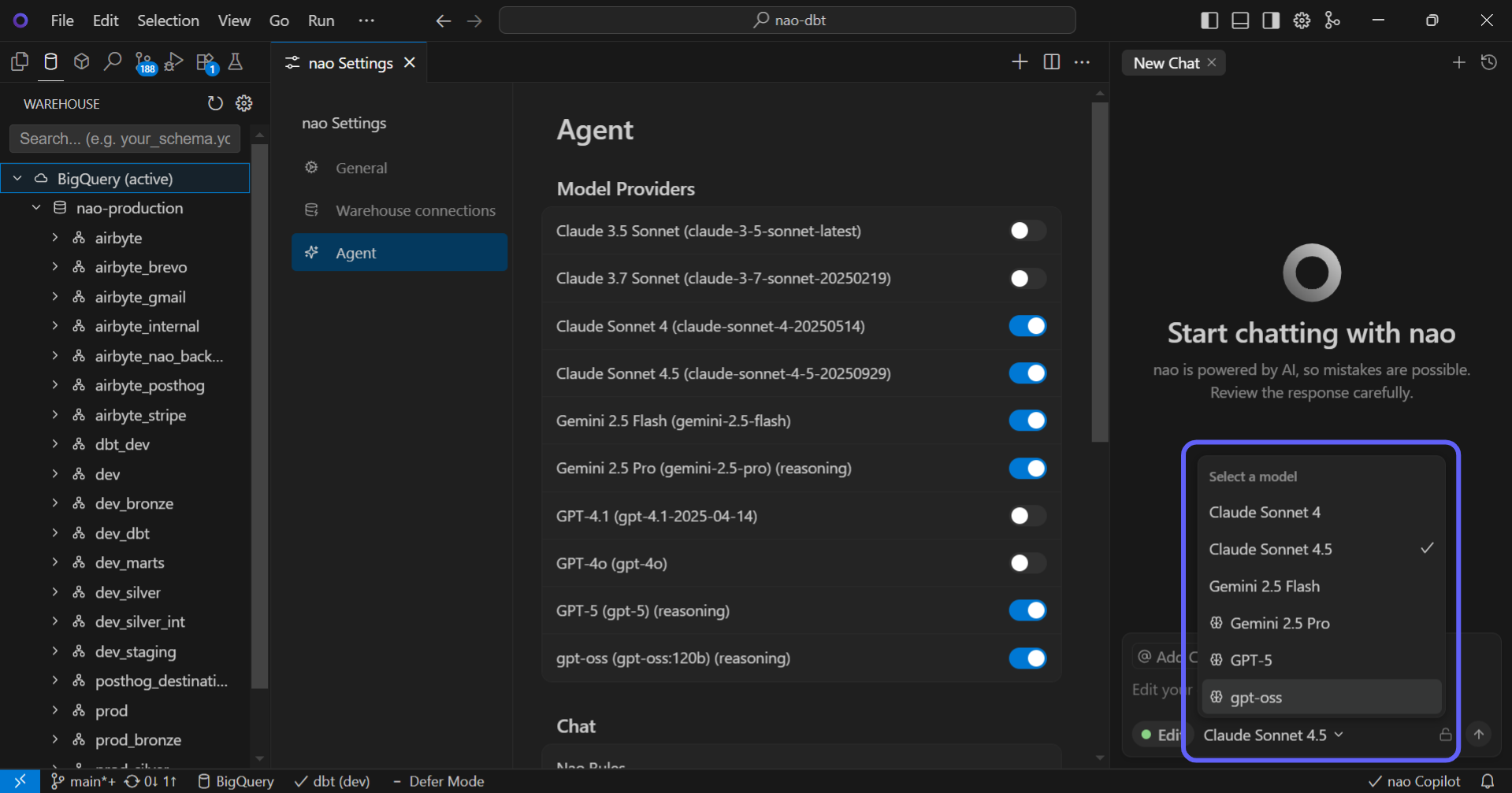
Change Model from Chat You can switch between different LLM models directly from the chat interface. Click on the model selector in the chat header to choose a different model for your conversation. AWS Bedrock Integration nao supports AWS Bedrock models, allowing you to use Amazon’s AI services. You can connect using either:
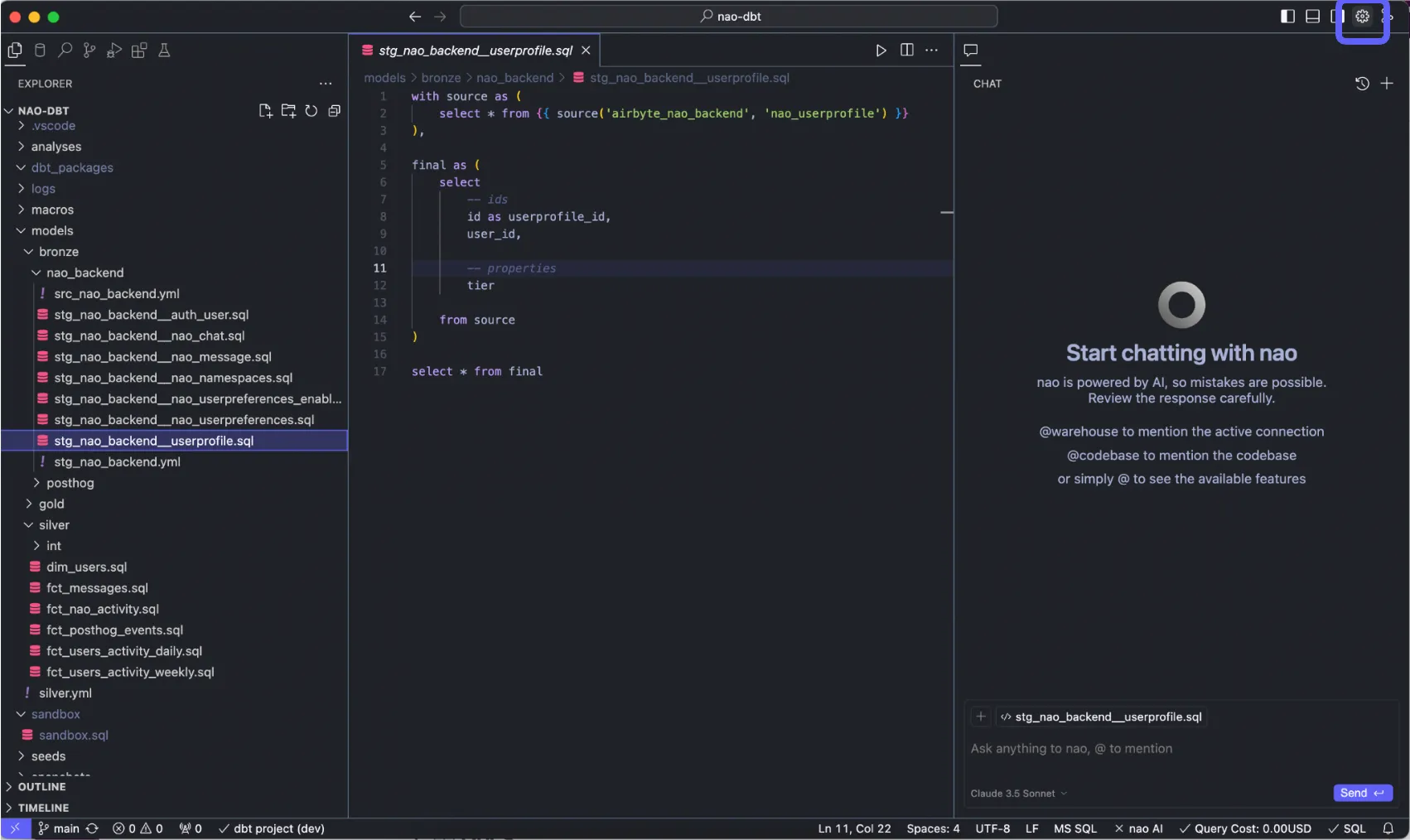
- Go on nao settings at top right
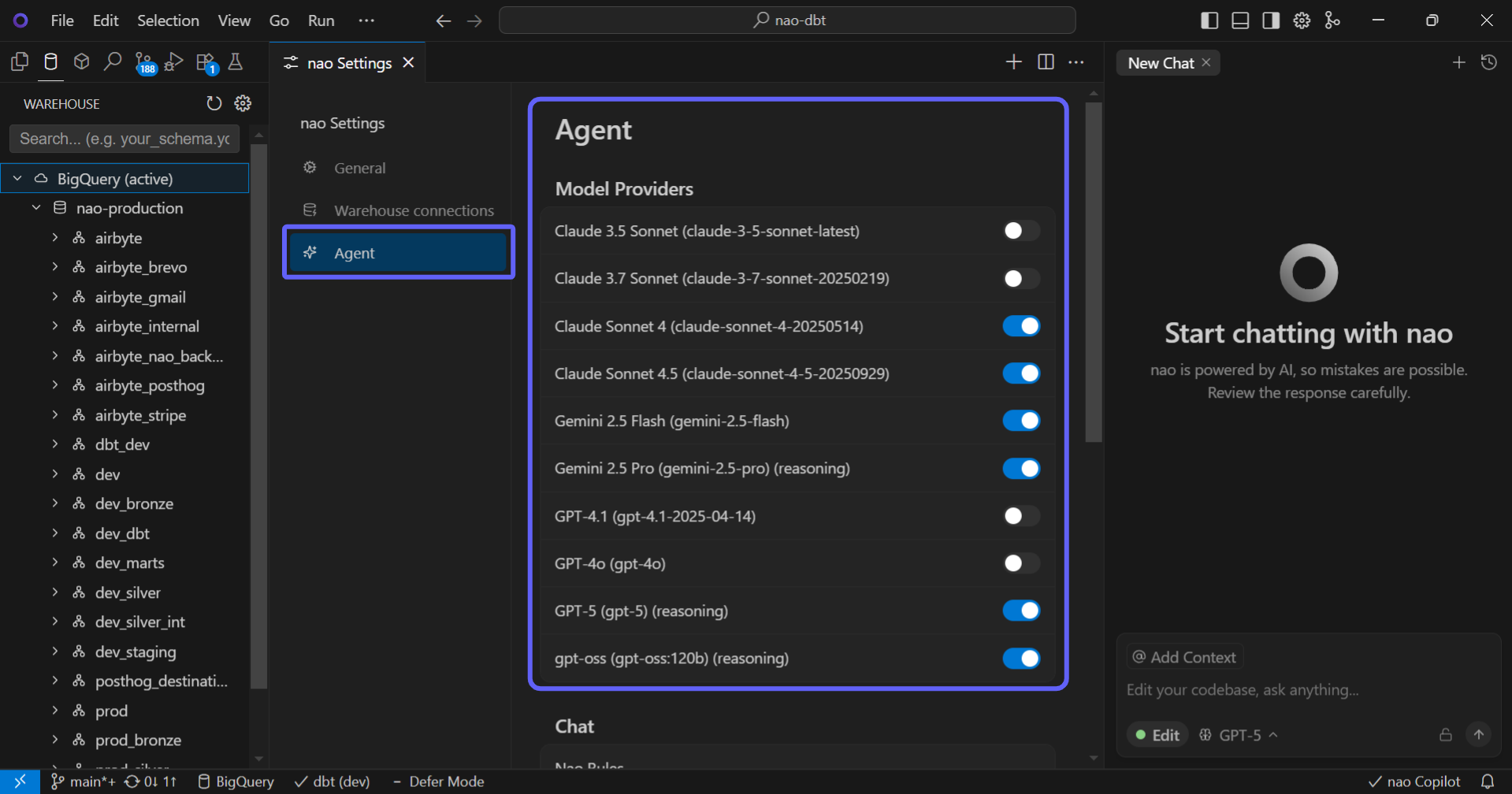
- Go to “Agent” section then “Model Providers” Enable the LLM providers you want (we strongly recommend Claude)
- In the chat, change the LLM you want whenever
- API Keys: Configure Bedrock API keys in Settings > Agent > Model Providers
- AWS Credentials: Connect using your AWS credentials for enhanced security
Enterprise Feature
Using your own API keys for LLM models is available only in Enterprise plans. This allows you to:
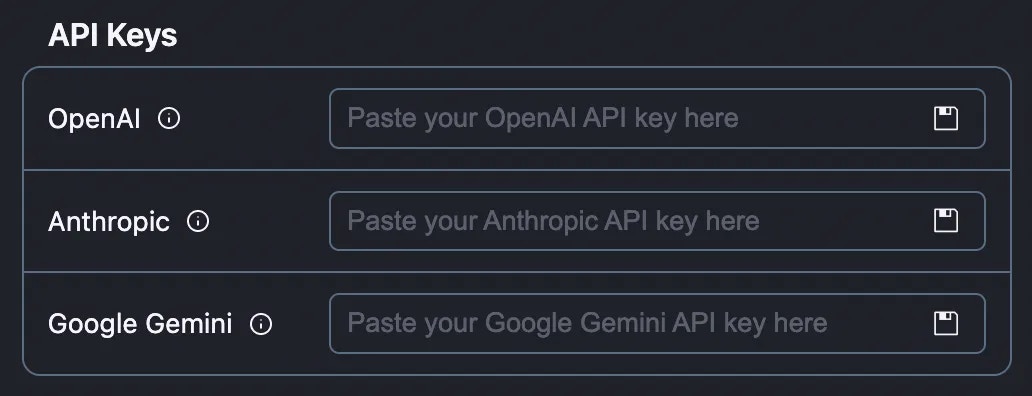
- Use your own OpenAI, Anthropic, Bedrock or Gemini API keys
- Maintain compliance with your organization’s security policies