

The nao Slack bot brings your analytics agent directly into Slack, allowing your team to ask questions and get insights without leaving their workspace.Documentation Index
Fetch the complete documentation index at: https://docs.getnao.io/llms.txt
Use this file to discover all available pages before exploring further.
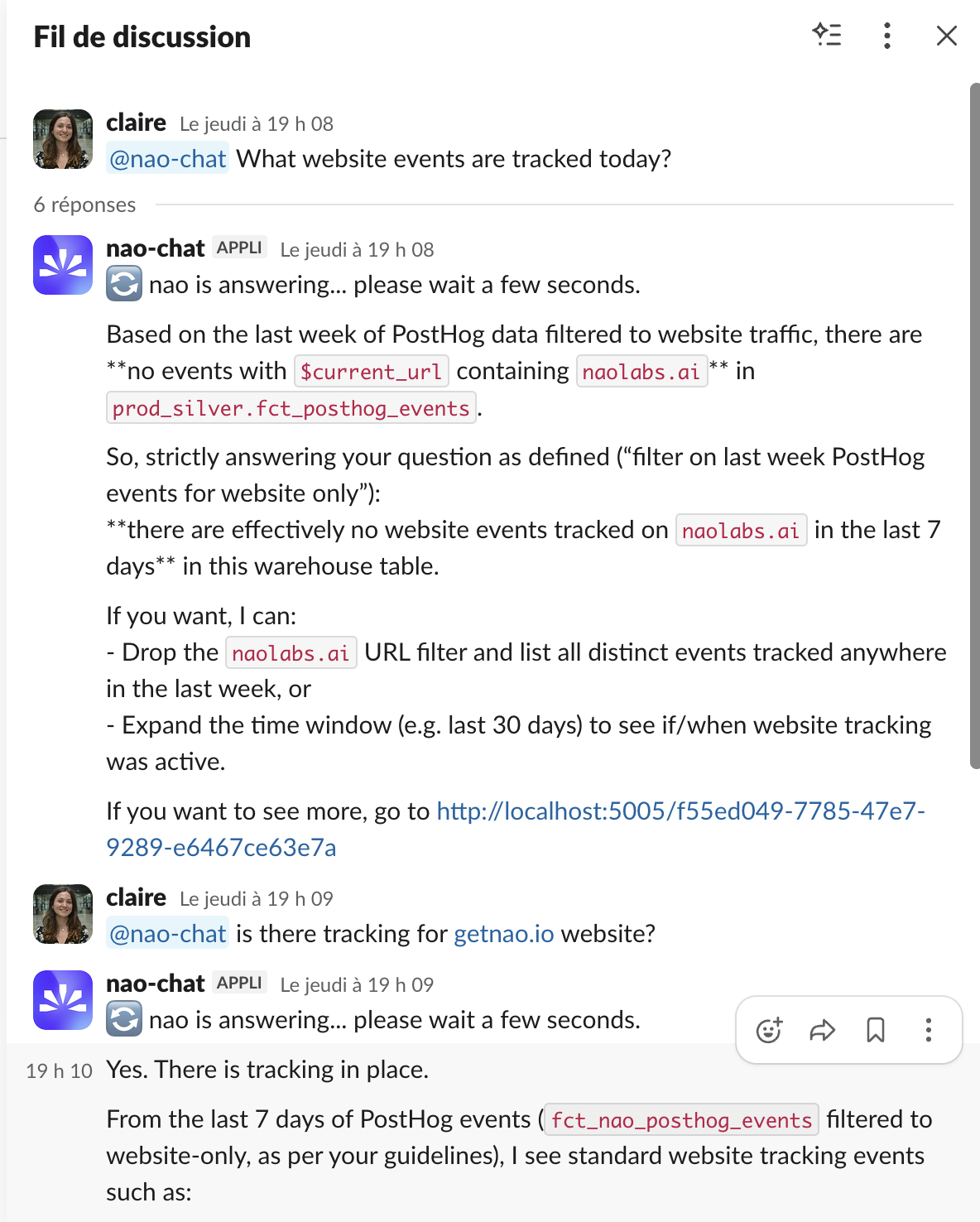
- Listens for mentions in Slack channels
- Can also answer from direct messages in Slack
- Processes questions using the same agent as the web chat interface
- Returns answers with SQL queries, data tables, and visualizations
- Maintains conversation context within Slack threads
- Streams progress updates and can upload CSV outputs for query results
The Slack bot uses the same agent context, rules, and capabilities as your web
chat interface. Any improvements to your agent automatically benefit Slack
users.
Setup
Step 1: Create your Slack App
- In nao, click on your profile → “Project” → “Slack”
- Verify your deployment URL
- Click “Create Slack App”
Step 2: Install the App to your Workspace
- In your Slack app settings, go to “Install App”
- Click “Install to Workspace” and allow the permissions
Step 3: Connect your Slack Bot to nao
- In “OAuth & Permissions”, copy the Bot User OAuth Token (starts with
xoxb-) and paste it as Bot Token in nao - In “Basic Information”, copy the Signing Secret and paste it as Signing Secret in nao
- Click “Save”
Step 4: Add Bot to Channels
- In Slack, go to any channel where you want the bot
- Type
/invite @nao(or your bot’s name) - The bot will now listen for mentions in that channel
Usage
Ask Questions Mention the bot in any channel where it’s been added:- Process your question using the same agent as the web interface
- Generate SQL queries based on your context
- Execute queries against your connected databases
- Return results in a formatted Slack message
- Send you the link to the full conversation to open it in browser UI
The bot replies in threads to keep conversations organized. Use thread replies
for follow-ups.
@nao inside an existing Slack thread, the bot reads the previous messages in that thread before answering. This means you can have a human discussion first and then loop nao in with a question like @nao can you pull the numbers for this? - it will pick up the earlier context without you having to restate the question.
Compact view
A compact view mode renders nao’s replies as shorter Slack messages: SQL and large tables are collapsed behind links so the channel stays readable, and full results are available in the linked web conversation. Toggle it from the Slack admin page under Settings -> Project -> Slack. Use compact view in busy channels and the default (expanded) view when you want the full SQL and data inline.
Stop Conversations
While generating, you will see a “stop generation” button appear in the slack conversation.
Click on that button if you want to stop the chat from generating more text.
What’s Next?
Chat Overview
Learn about the web chat interface
Self-Hosting Guide
Deploy nao with Docker or on your own Cloud Run instance