> ## Documentation Index
> Fetch the complete documentation index at: https://docs.getnao.io/llms.txt
> Use this file to discover all available pages before exploring further.
# Rules
You can customize your nao agent's behavior by providing custom rules and guidelines. nao supports multiple ways to configure agent behavior:
.naorules File
The **`.naorules`** file is the primary way to customize your agent. Create this file at the root of your project and write your rules in plain English. These rules will be automatically applied to all conversations with the agent.
**What you can configure:**
* **Code style**: SQL formatting preferences, naming conventions, code structure
* **Agent behavior**: Language, tone, response style, documentation habits
* **Tool-specific rules**: Include your data stack documentation (Airflow, dbt, etc.)
* **Project standards**: Team conventions, best practices, domain-specific knowledge
**Example .naorules content:**
```
- Always use CTEs for complex SQL queries
- Use snake_case for all table and column names
- Include comments explaining business logic
- Prefer explicit JOINs over implicit joins
- Follow our dbt style guide for model structure
```
claude.md File
The agent can also read `claude.md` files in your repository. This works similarly to `.naorules` and provides another way to give project-specific guidelines to the agent. You can use both `.naorules` and `claude.md` files together - the agent will read and apply rules from both.
**Multiple Documentation Files**
You can have multiple documentation files that the agent reads:
* `.naorules` - Primary rules file (recommended)
* `claude.md` - Alternative/additional rules file
* Both files are read automatically if present in your project root
Creating .naorules
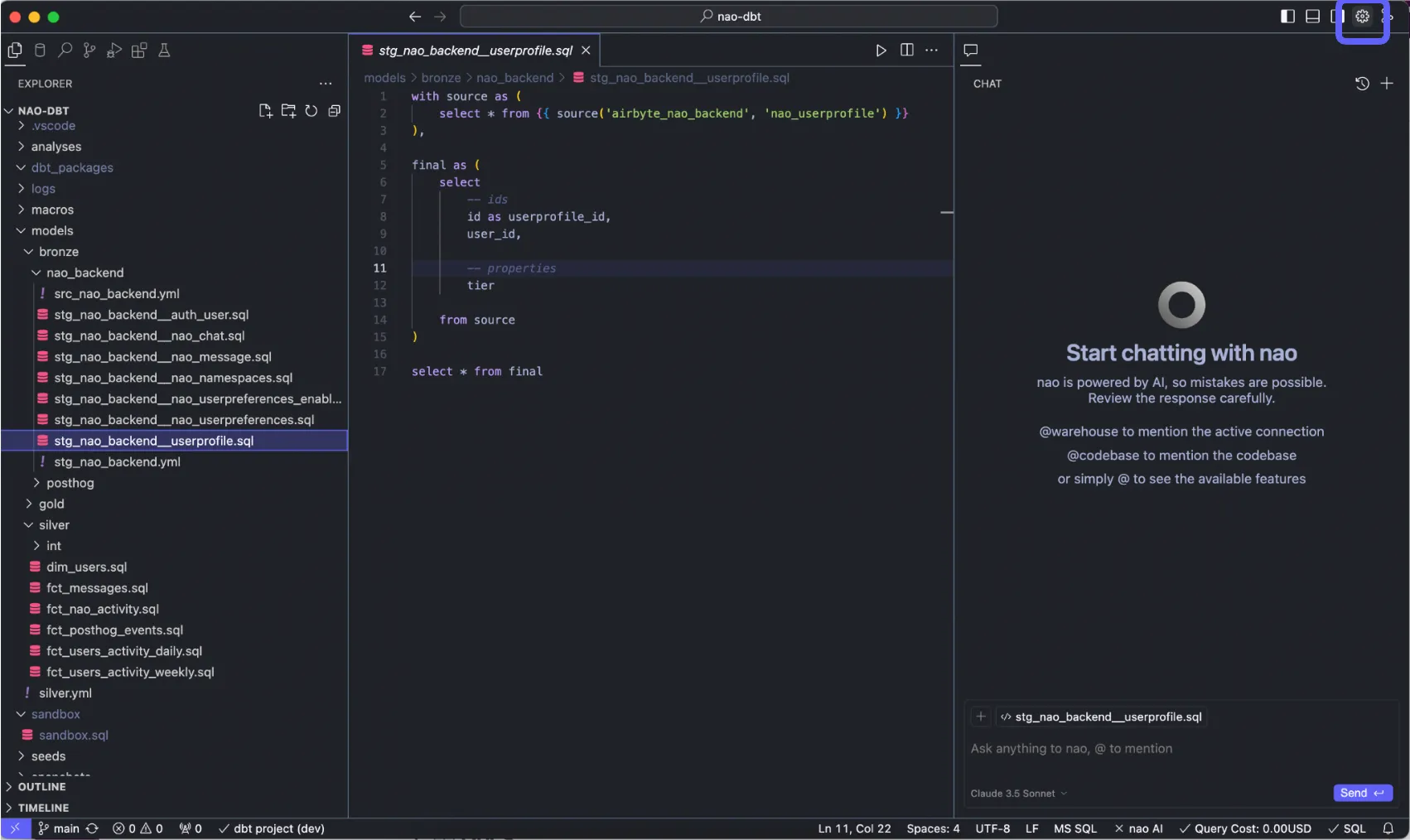
> 1. Go on nao settings at top right
>  > 2. Go to "Agent" section\
> Scroll down to Chat -> Nao Rules. Click "+Add" to create .naorules at root folder
>
> 2. Go to "Agent" section\
> Scroll down to Chat -> Nao Rules. Click "+Add" to create .naorules at root folder
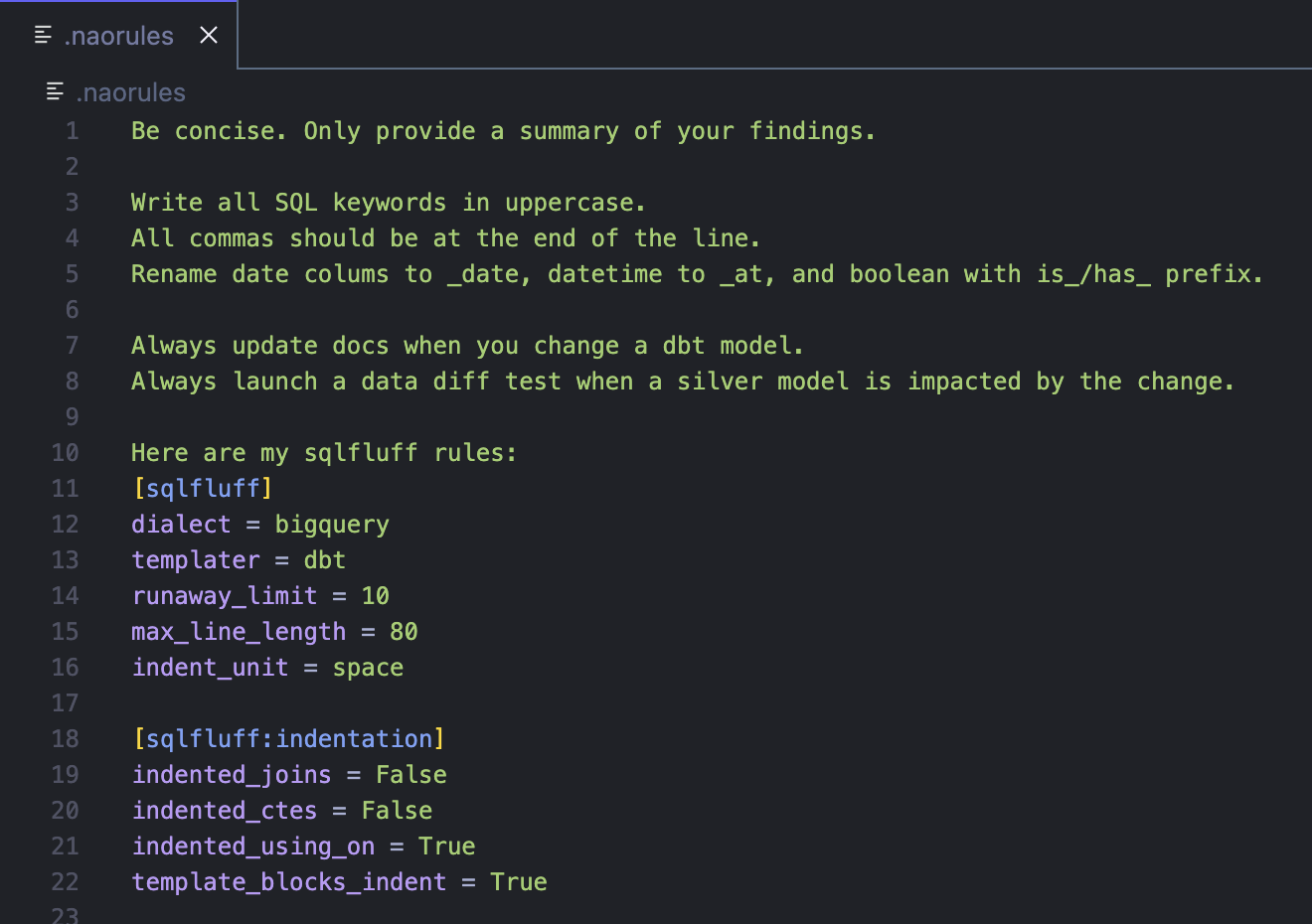
>  > 3. Write in plain english your custom rules!
>
> 3. Write in plain english your custom rules!
>  **Best Practices**
* Keep rules focused and well-organized
* Use clear headings and sections for different rule categories
* Include examples where helpful
* Update rules as your standards evolve
* Test rules by asking the agent to follow them in a conversation
**Best Practices**
* Keep rules focused and well-organized
* Use clear headings and sections for different rule categories
* Include examples where helpful
* Update rules as your standards evolve
* Test rules by asking the agent to follow them in a conversation