> ## Documentation Index
> Fetch the complete documentation index at: https://docs.getnao.io/llms.txt
> Use this file to discover all available pages before exploring further.
# Work with dbt
## Setup dbt
To get the most of using dbt in nao, you should set up your dbt config within nao.\
See the [Set up dbt](../get-started/set-up-dbt) page for a step-by-step guide.
## Preview, run, build dbt models
You can directly preview dbt models in nao, if your dbt is setup well and you added your data connection.\
Just click on the **execute SQL** button on the top bar, or press ⌘ + ⏎.
**See compiled SQL**
**Compiled SQL:** When executing a dbt model, you will also have a tab to review the compiled SQL used by nao.
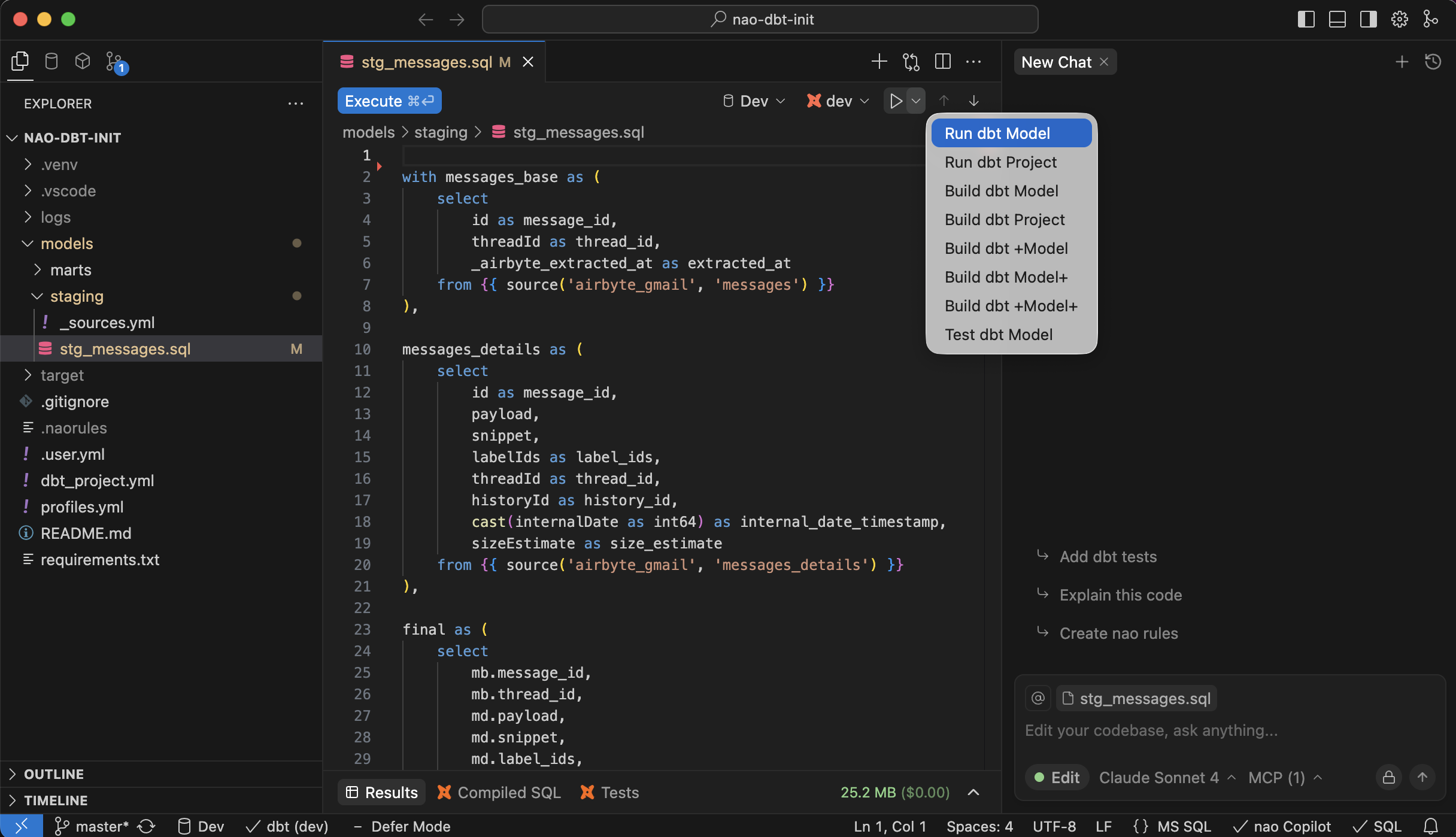
On top of your dbt model, you will also have a dropdown to run, build, test dbt models and their dependencies.
## Run dbt tests
If a dbt model has tests defined, you will be able to execute them directly from the preview panel.\
On **Database** mode, the tests will be executed on the materialized dbt model.\
On **Code** mode, the tests will be executed on the preview of current dbt code.
## View dbt lineage
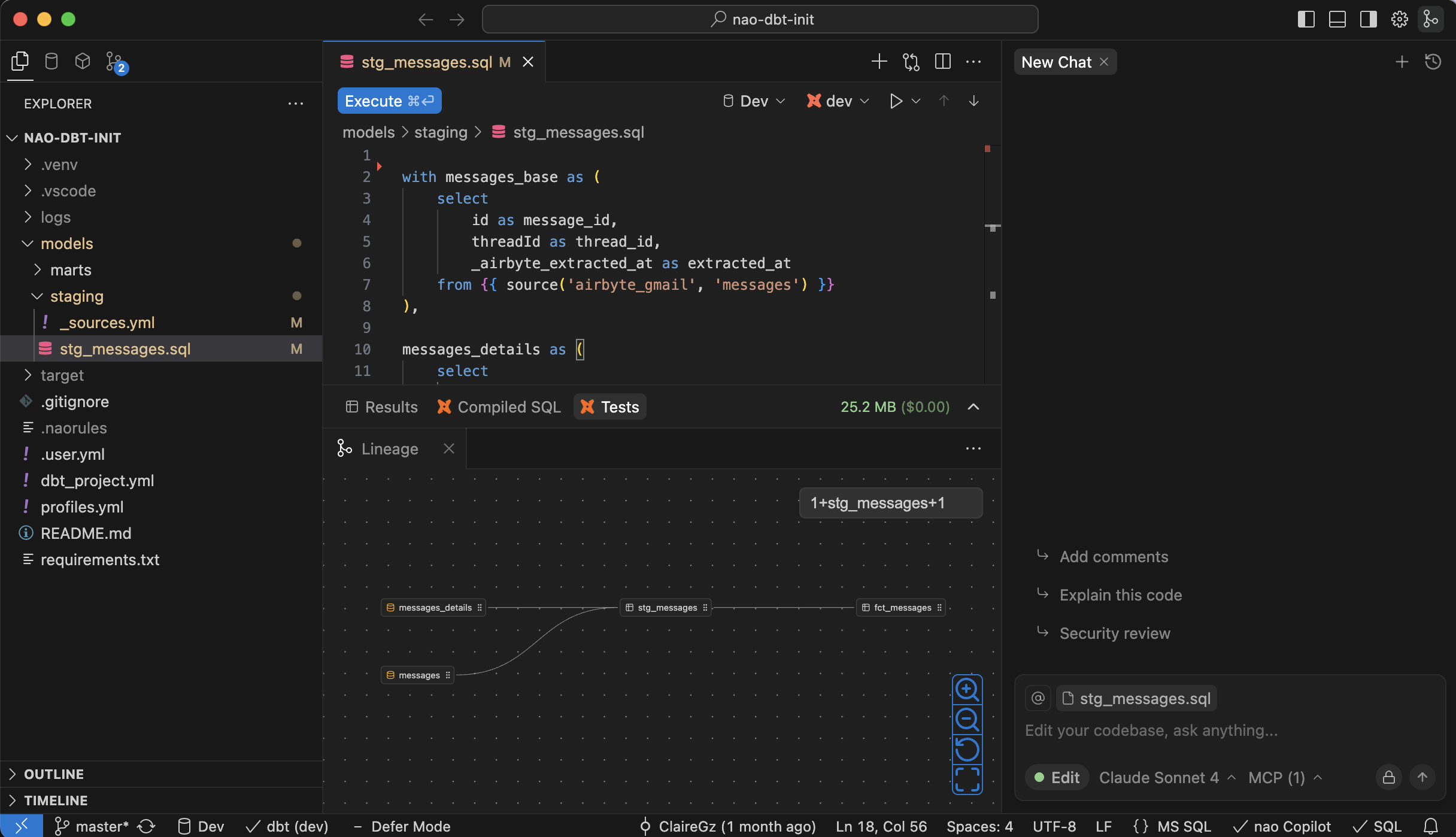
You can **open dbt lineage** from the top right icon.\
If you currently have a dbt sql file opened, the lineage will be zoomed in 1+model+1.\
If not, it will open full lineage.
Within lineage, you can **expand lineage** nodes to see further model dependencies.\
You can also use **selection form** on the top right to select a precise part of lineage.\
You can **click on a node** of the lineage to open the corresponding sql file of each model.
## Navigate dbt dependencies
When a dbt model file is open, you will have access to its **dependencies** in the top tool bar. It will show if the model has upstream and/or downstrea dependencies.
**Navigate model dependencies**
Hover on dependencies to get the full list and navigate to them.
You can also navigate between dbt models & columns with ⌘ + click:
* Use ⌘ + click on ref names to open the corresponding sql file
* Use ⌘ + click on a CTE name to jump to the CTE definition
* Use ⌘ + click on a column to jump to the previous definition of this column
## Auto-complete on dbt models
**Auto-complete sources & refs**
When writing from in a dbt context, nao suggest a shortcut to add **sources** and **refs**.
It will then suggest the list of available refs/sources in your dbt repository.
**Auto-complete columns from sources & refs**
When selecting columns from a source of a ref, nao will extract the list of available columns.
It will then suggest the list of available columns for the specifc ref/source you are working on.
**nao AI autocomplete uses your dbt models schemas**
Context of available dbt models/columns will also be passed to the AI auto-complete.\
This will allow the AI autocomplete to suggest SQL relevant to your underlying dbt models.
## Agent dbt tools
nao agent has several tools specifically made for dbt use:
* Create dbt models
* Create dbt sources
* Create dbt documentation & testing
* Get model / column dependencies in lineage
* Execute dbt commands
Check our [agent tools](/nao-ide/nao-ai/agent-tools) for an exhaustive list of all agent tools.